

Reporting and Troubleshooting an issue
BugSnag Error Monitoring
-
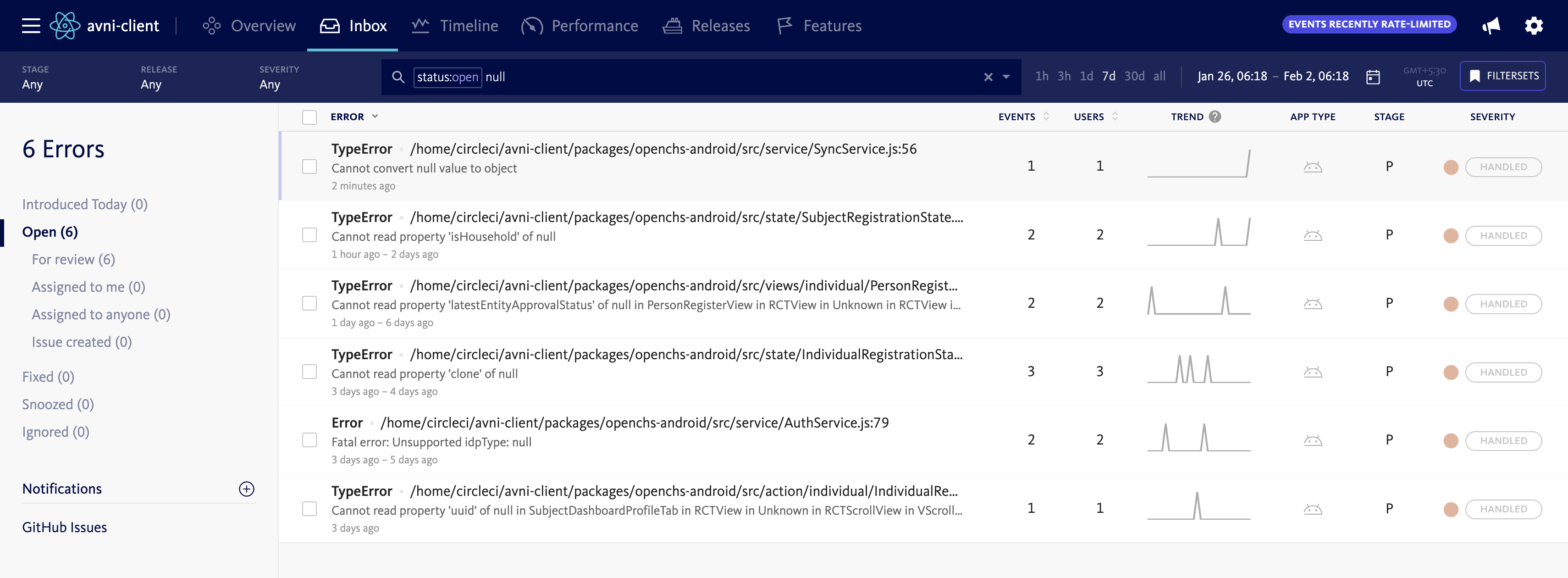
Access Bugsnag: Log into the Bugsnag dashboard
-
Search Inbox: Navigate to the Bugsnag inbox search functionality
-
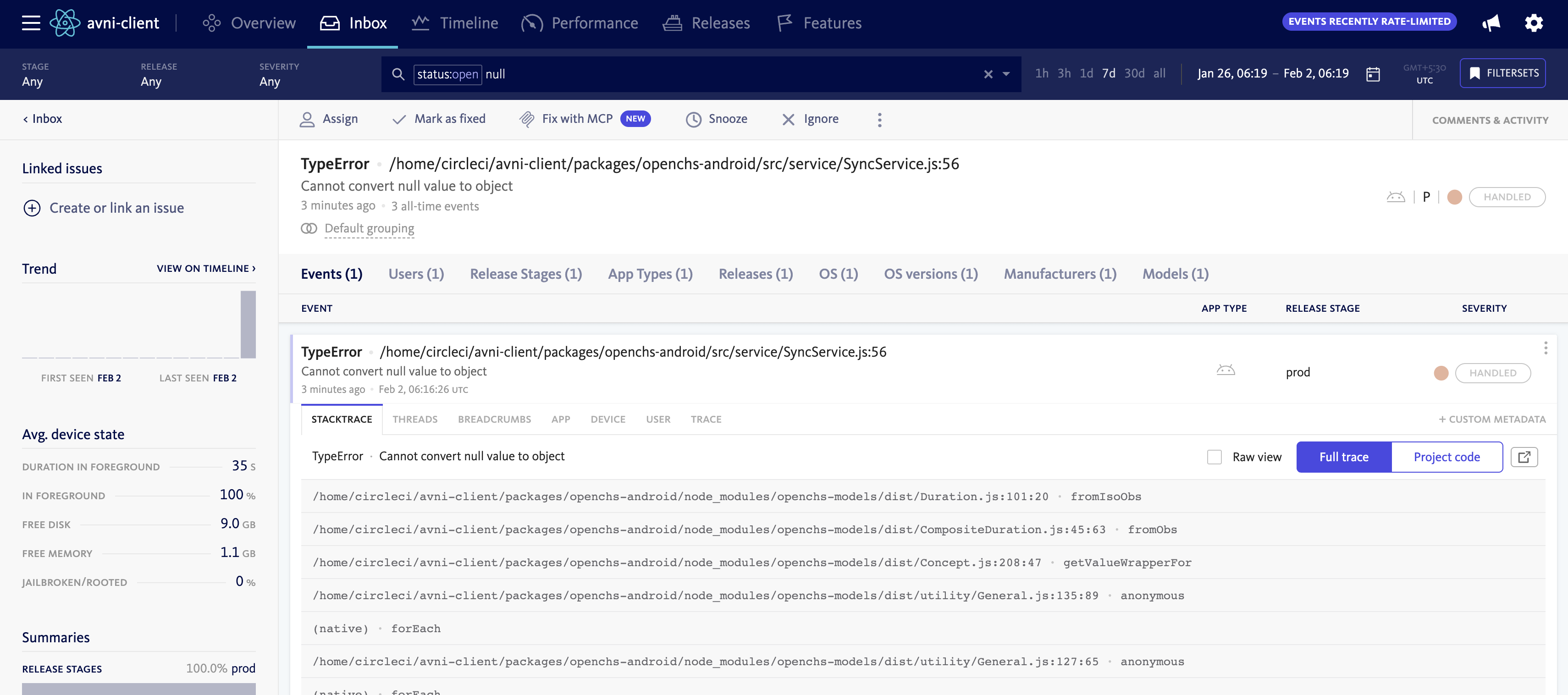
Find Issues: Search for relevant error reports and stack traces
-
Analysis: Use the detailed error information to understand and resolve bugs
Reporting an issue
When a user encounters an issue in the application:
-
Error Alert: An alert popup is displayed on the screen.
-
Report issue: Click the button labelled
Upload issue info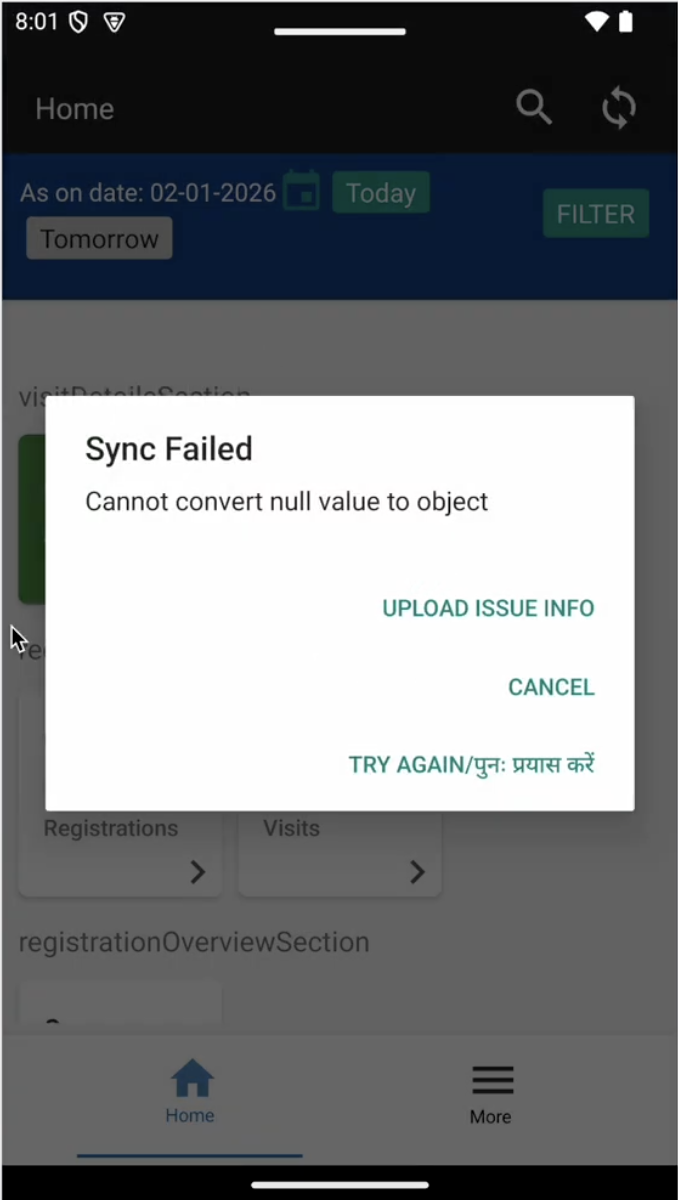
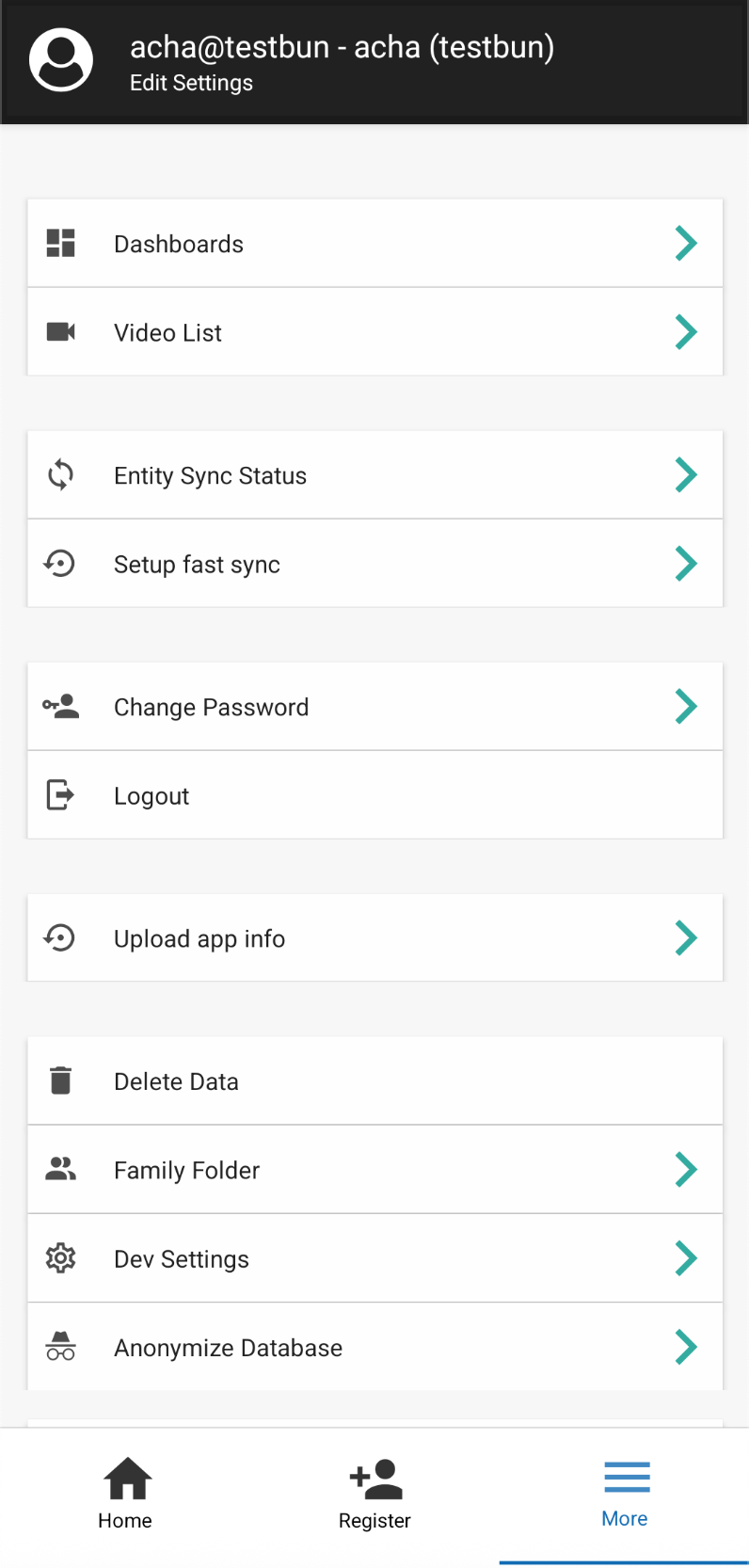
If the user's face an issue and the alert is not shown or the alert box does not contain Upload issue info button, they can click on More in the home page, and then click on Upload app info.
- Fixing by Avni team: The uploaded information can be accessed from AWS S3 ('env-user-media bucket' -> 'organisation media directory name' -> 'adhoc-dump-as-zip-username-uuid') by the development team to analyze the root cause of the issue and implement appropriate fixes.
Updated 8 months ago