

Navigation to beneficiary's location
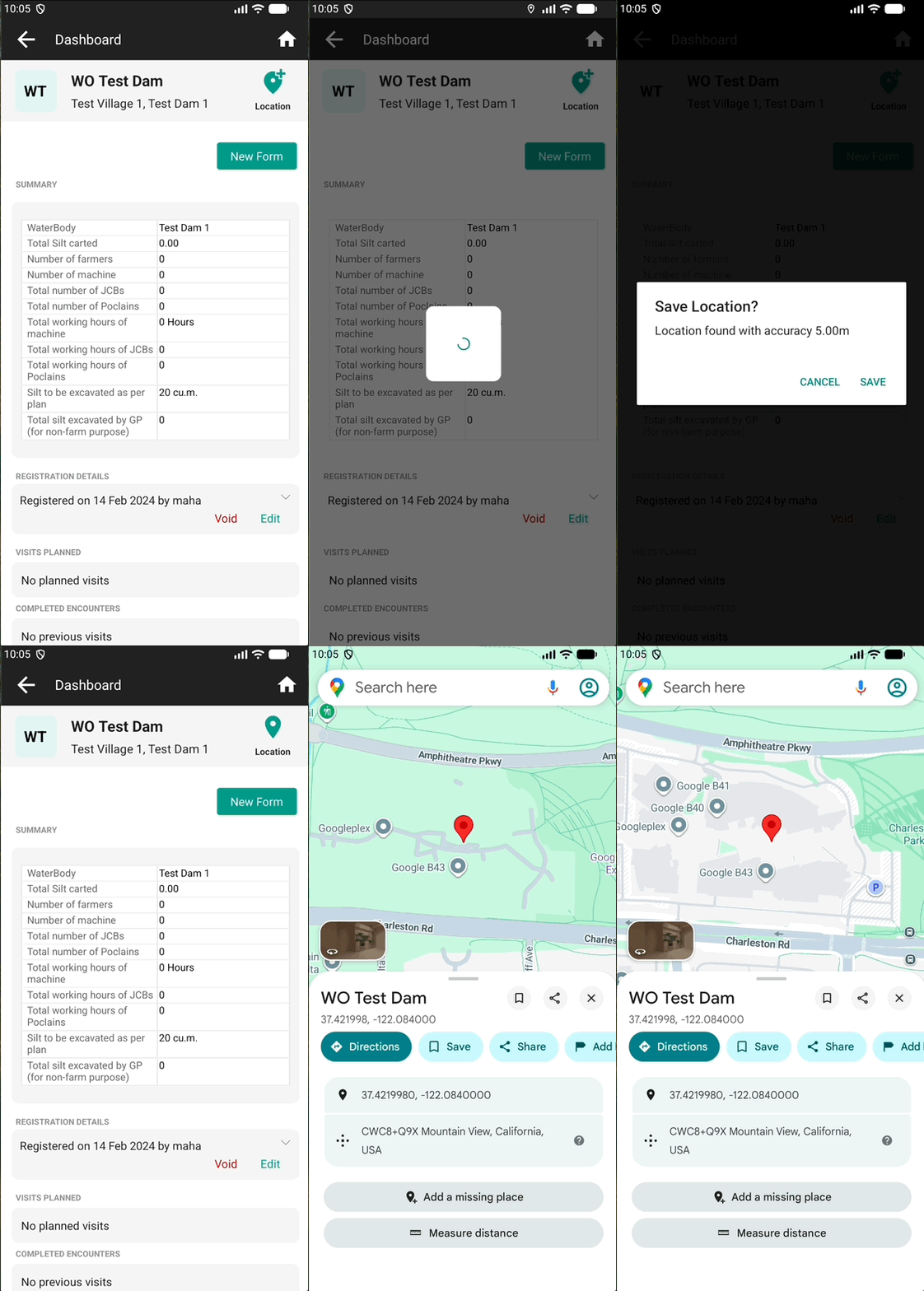
Avni allows users to capture the location of a beneficiary during their visit. This recorded location helps make follow-up visits easier, especially when the visit is conducted by a different user.
The same capability can also be used to record the location of non-living subjects (for example, dams or other physical assets) when Avni is used to track them.
Steps to record location and navigate
- When you are at a beneficiary’s residence, tap the Add Location icon.
- If prompted, grant the required permissions to capture and save the beneficiary’s location.
- Once saved, you can tap the location to navigate to it or edit it.
- You may recapture the location to improve accuracy.
Steps to download offline maps
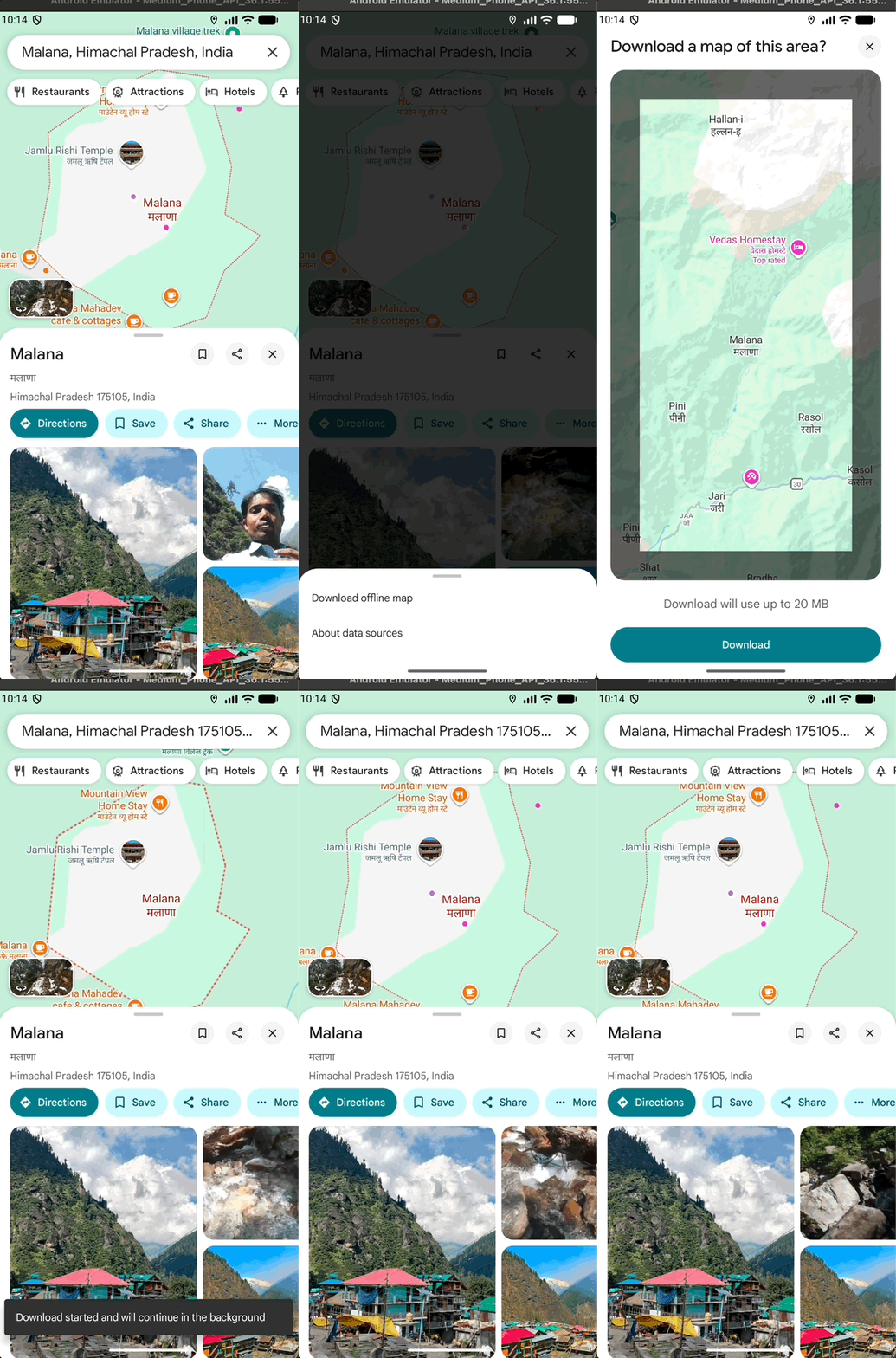
You can download offline maps for an area to ensure you can navigate to a beneficiary’s location even when you are not connected to the internet. On Google Maps you can search for the location, click on more and then click on Download offline map.
Updated 8 months ago