

Guide user towards Register button
After syncing is completed for the first time, new field users often don't know what to do next. This leads to additional effort in the field to manually guide users and inform them that they need to start registering beneficiaries. To avoid this, Avni now provides a built-in tooltip that automatically guides users towards the Register button on their first login.
How to Enable
-
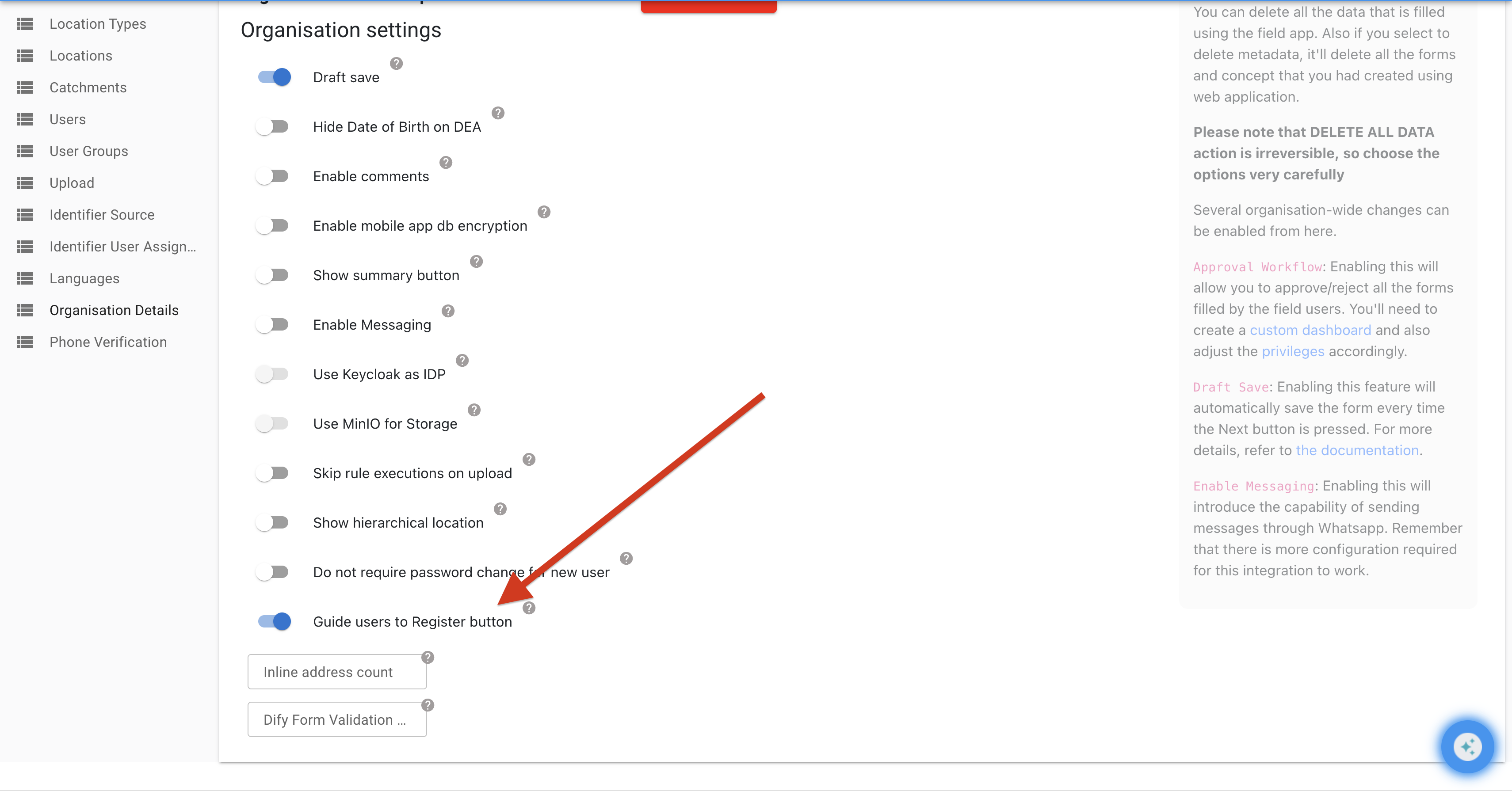
Log in to the Avni webapp as an admin.
-
Navigate to the Organisation Details page here
-
Toggle on "Guide users".
How It Works
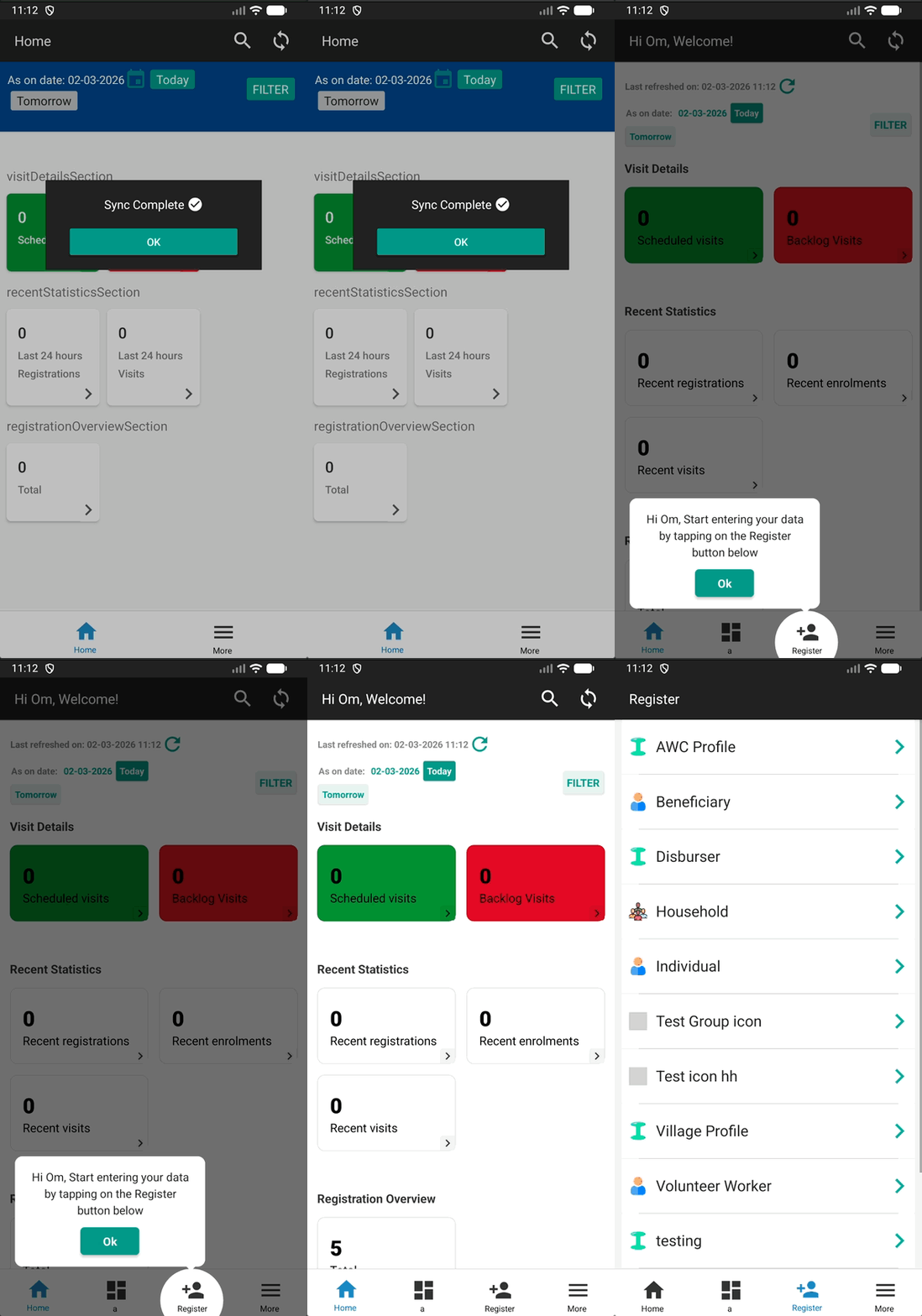
Once enabled, when a user signs in for the first time on the mobile app, a tooltip will appear highlighting the Register button. This tooltip guides the user to take their first action — registering a beneficiary — without needing any external instruction or training.
Key Points
- The tooltip is shown only on the first login after sync is completed, so it does not interrupt experienced users.
- This is an organisation-level setting — once enabled, it applies to all users in the organisation.
- Enabling this toggle also shows a friendly "Welcome" message at the top of the screen instead of the "Home" text. This is always shown i.e. regardless of whether it is the first or subsequent login or sync.
Updated 7 months ago